ForgeGUI Roblox AI tools
Use ForgeGUI as an AI Roblox game maker workspace for Roblox Studio GUI, thumbnails, clothing, icons, 3D concepts, sound, music, and Lua code assistance.
One workflow, multiple asset types
Create assets for Roblox Studio
ForgeGUI Roblox workflows help you explore a clear art direction and produce editable source material. Every result still needs your review, Roblox policy checks, and final technical setup inside Studio.
Roblox GUI and HUD concepts
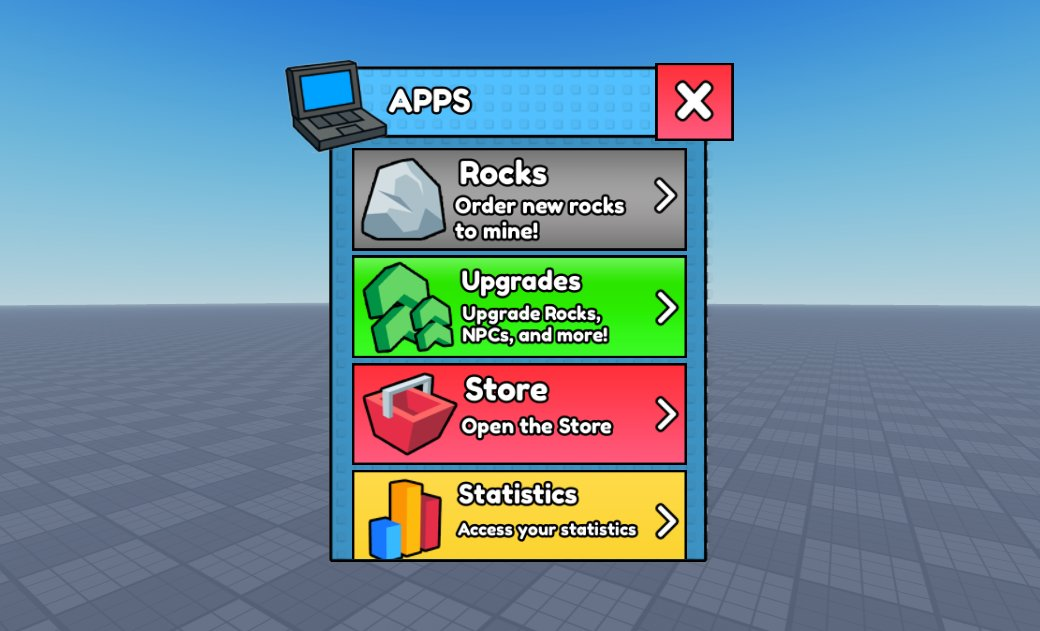
Design menus, inventories, shop panels, buttons, status bars, and cohesive interface kits before rebuilding the final layout in Roblox Studio.
Open toolGame thumbnails and icons
Create bold key art, experience thumbnails, store graphics, badges, and icon families with a consistent visual direction.
Open toolRoblox clothing concepts
Explore coordinated shirt and pants ideas, pattern placement, themed outfits, and texture references for avatar clothing production.
Open tool3D asset concept sheets
Turn a short brief into multi-view references for props, weapons, vehicles, environments, and stylized game objects.
Open toolLua code assistance
Draft and explain Roblox Lua patterns for gameplay systems, interface behavior, debugging, and reusable modules.
Open toolMusic and sound effects
Generate menu themes, battle cues, ambience, UI feedback, impacts, and audio concepts for your Roblox experience.
Open toolHow to use ForgeGUI with Roblox Studio
Keep the AI step focused, then make the final creative and technical decisions in your own project.
- 1
Choose a focused studio
Start with the output you need: GUI, thumbnail, clothing, 3D concept, audio, or code.
- 2
Describe the Roblox context
Include genre, audience, camera, palette, interface state, asset dimensions, and the style of your experience.
- 3
Generate a small test
Review the credit estimate, make one controlled result, and refine the prompt before producing a larger set.
- 4
Finish in Roblox Studio
Download the result, adapt it to Roblox technical requirements, and test it inside your own experience.
ForgeGUI Roblox FAQ
What is ForgeGUI Roblox?+
ForgeGUI Roblox is a collection of browser-based AI workflows for creating Roblox game asset concepts, including GUI, thumbnails, clothing, icons, 3D references, audio, and Lua code assistance.
Is ForgeGUI affiliated with Roblox?+
No. ForgeGUI is an independent creation platform and is not affiliated with, endorsed by, or operated by Roblox Corporation. Roblox is a trademark of its respective owner.
Is ForgeGUI free for Roblox creators?+
New accounts can begin with free credits. Each studio shows an estimated credit cost before generation, and paid plans provide additional credits and privacy options.
Does ForgeGUI install a Roblox Studio plugin?+
No official plugin is required. ForgeGUI runs in the browser; download your result and bring the relevant files, references, or code into Roblox Studio.
Can ForgeGUI publish directly to my Roblox experience?+
No. You remain in control of review, moderation, technical setup, and publishing inside Roblox Studio. ForgeGUI helps create and iterate on the source material.